

Discovery
Discovery was called Signals in earlier versions. Setting keys still start with
sig.Discovery ranks tokens by token-wide 5-minute volume across every venue (pump.fun AMM, Raydium, Meteora…), from Jupiter's Tokens API. For each token it shows the Meteora DLMM SOL pool you'd LP in, that pool's own 5m volume and its share of the token's volume. It uses no RPC calls and refreshes every 30 seconds.
Discovery is a watchlist, not advice. A token being busy says nothing about where its price goes next.

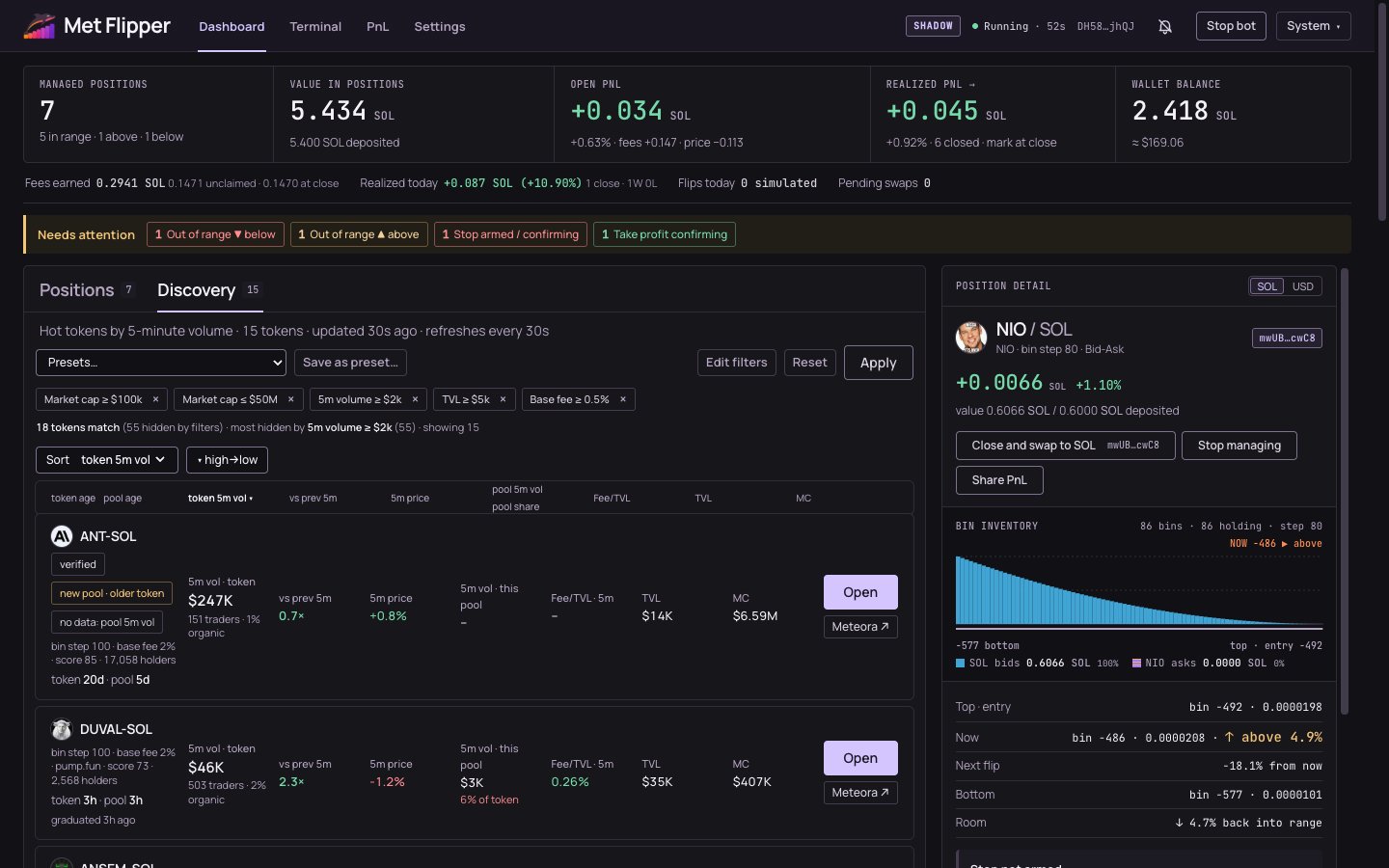
Discovery tab on the Dashboard: presets, active filter chips, the match count, sort and the rows.
What each row shows
- The token's image and name (from Jupiter's token data).
- Token 5m volume, traders and organic share; change vs the previous 5m; 5m price move.
- The pool's 5m volume and share, TVL and market cap; bin step and base fee.
- Token age vs pool age, and when it graduated from its launchpad. A pool more than a day younger than its token gets a new pool · older token tag: its price, fee and volume history is short.
- GMGN chips (top-10 share, dev, bundled, snipers, smart money, KOLs, bots…) when a GMGN key is set.
- Open, which starts the open flow.
Filters
Click Edit filters on the Dashboard's Discovery tab, or Filters in the Terminal's Discovery pane (the button shows how many are set). Active filters show as chips you can clear one by one, and a status line says how many tokens match, how many each filter hid and which filter hid the most.

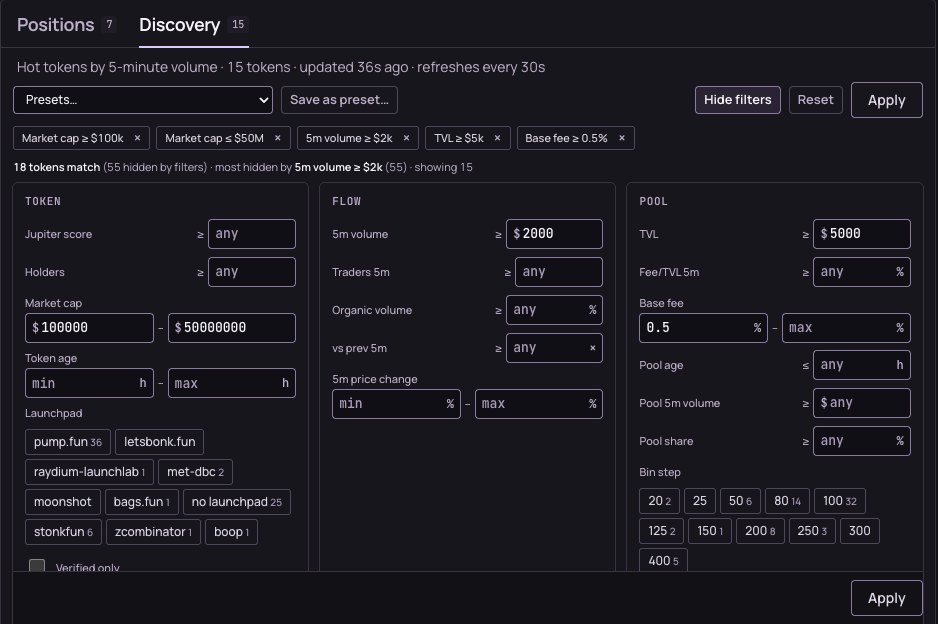
The filter panel: Token, Flow and Pool columns. Launchpad and bin-step chips show how many tokens each has right now.
Presets: the Presets… menu has built-in ones (Default, Strict: organic ≥ 60, holders ≥ 1,000, MC $500k–$20M; Fresh launches: token age ≤ 24h, 5m vol ≥ $5k) plus any you save with Save as preset…. Apply saves the filters on the bot; Reset goes back to the defaults. Filters run on the server while the list is fetched, so the list fills up to your list size with tokens that pass.
Sort by token 5m volume, vs prev 5m, 5m price, pool 5m volume, pool share, Fee/TVL, TVL, market cap, pool age or token age, high→low or low→high (or click a column header).
Jupiter score (min), Holders (min), Market cap (min / max), Token age (min / max), Launchpad (chips for the launchpads in the current list, e.g. pump.fun, letsbonk.fun, raydium-launchlab, met-dbc, moonshot, bags.fun, or no launchpad), Verified only, Hide transfer tax.
Defaults: min 5m volume $2,000, min TVL $5,000, market cap $100k – $50M, min base fee 0.5%, 15 rows. Everything else starts off.
Missing data is explicit
If a value is missing (Jupiter hasn't indexed the token, no candle for the pool yet), it never silently passes a filter you set. With hide token (default) the token fails that filter; with keep, marked it stays and is tagged (for example no data: pool 5m vol). A filter you haven't set never hides anything.
See every filter's key, default and range in the Settings reference.